Every website you visit lives somewhere physical. Behind every domain name is a real server, sitting in a real data center, in a real country — and that location quietly shapes how fast a site loads, how secure it feels, and even whether it's trustworthy. Understanding a site's web location is one of the most underrated diagnostic steps for developers, marketers, and everyday users alike.
In this guide, we'll break down exactly what 'web location' means, why it matters for speed and security, and how you can check any website's IP address and geographic origin in seconds using IP Address & Location Checker.
What Does 'Web Location' Actually Mean?
When people talk about a website's location, they usually mean one of three things:
- Server/Hosting Location: The physical data center where the site's files are stored and served from.
- IP Geolocation: The geographic region associated with the website's public IP address, determined via IP-to-location databases.
- CDN Edge Location: For sites using a Content Delivery Network, the nearest edge server that actually responded to your request — which may differ from the origin server.
These aren't always the same place. A site could be registered in the US, hosted in Germany, and delivered to you from a CDN node in Singapore. Knowing the difference matters when you're diagnosing latency issues or verifying a site's authenticity.
Why Checking a Website's Location Matters
1. Speed and Latency
Distance is one of the biggest hidden factors in page load time. The farther a request has to travel — physically, through fiber and routers — the more latency gets added before a single byte of content even starts downloading. If your visitors are in Europe but your server is in South America, you're fighting physics on every page load.
Once you know your server's location, pair that insight with a full performance audit using our PageSpeed & Web Vitals Checker to see exactly how that distance is affecting your Core Web Vitals scores.
2. Security and Trust Verification
A mismatch between a company's claimed location and its actual server origin can be a red flag. Phishing sites, fake storefronts, and scam pages frequently host from unexpected regions despite claiming local presence. Cross-referencing IP location with domain registration data adds a strong layer of due diligence — especially when combined with our Website Age & WHOIS Checker to see how old (or suspiciously new) a domain really is.
3. CDN and Infrastructure Debugging
Developers troubleshooting regional performance complaints need to know which edge node is serving traffic. If users in one country report slow load times, checking the responding IP's location tells you instantly whether the CDN is routing correctly or falling back to a distant origin server.
4. Compliance and Data Residency
With regulations like GDPR, businesses often need to confirm that user data is processed and stored within specific jurisdictions. Verifying server location is a quick first check before a deeper compliance audit.
How to Check a Website's Location Step-by-Step
-
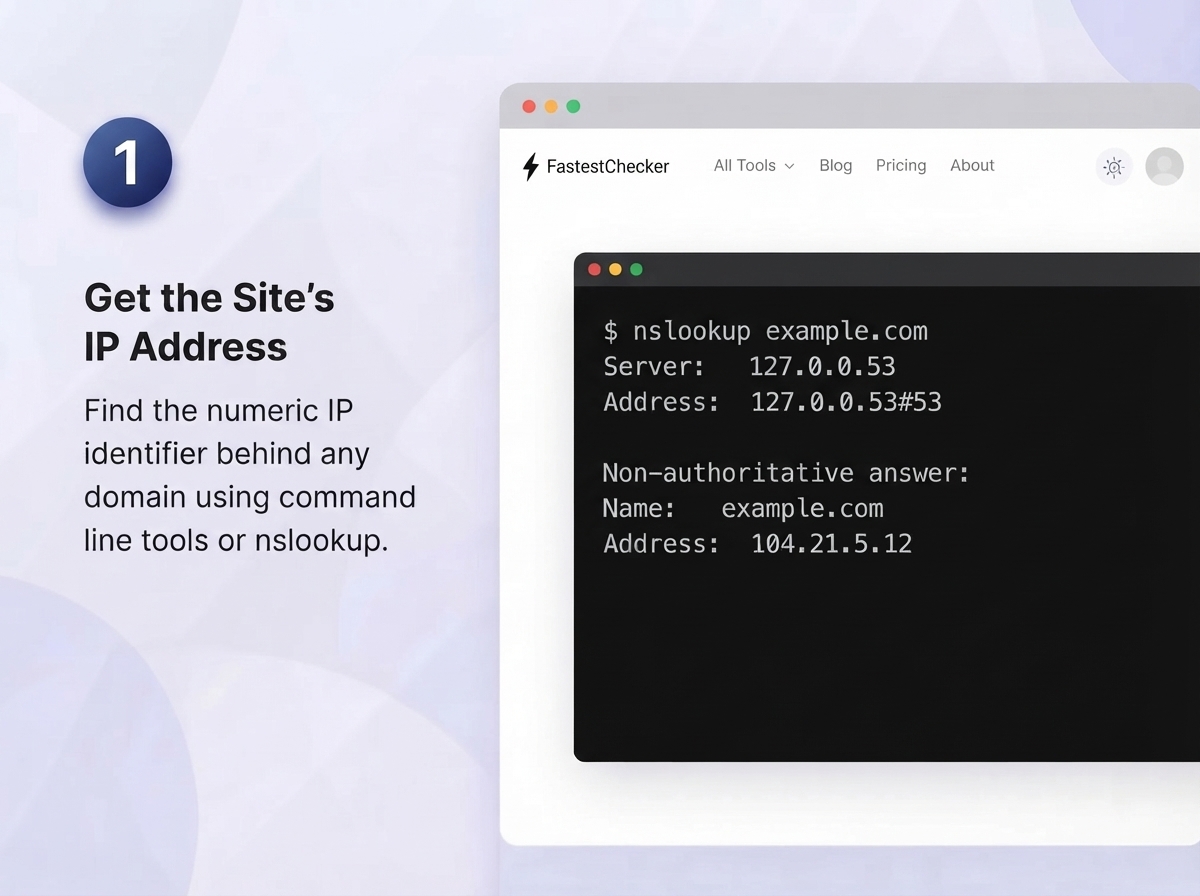
Get the site's IP address.
Every domain name relies on a unique numerical IP address (such as
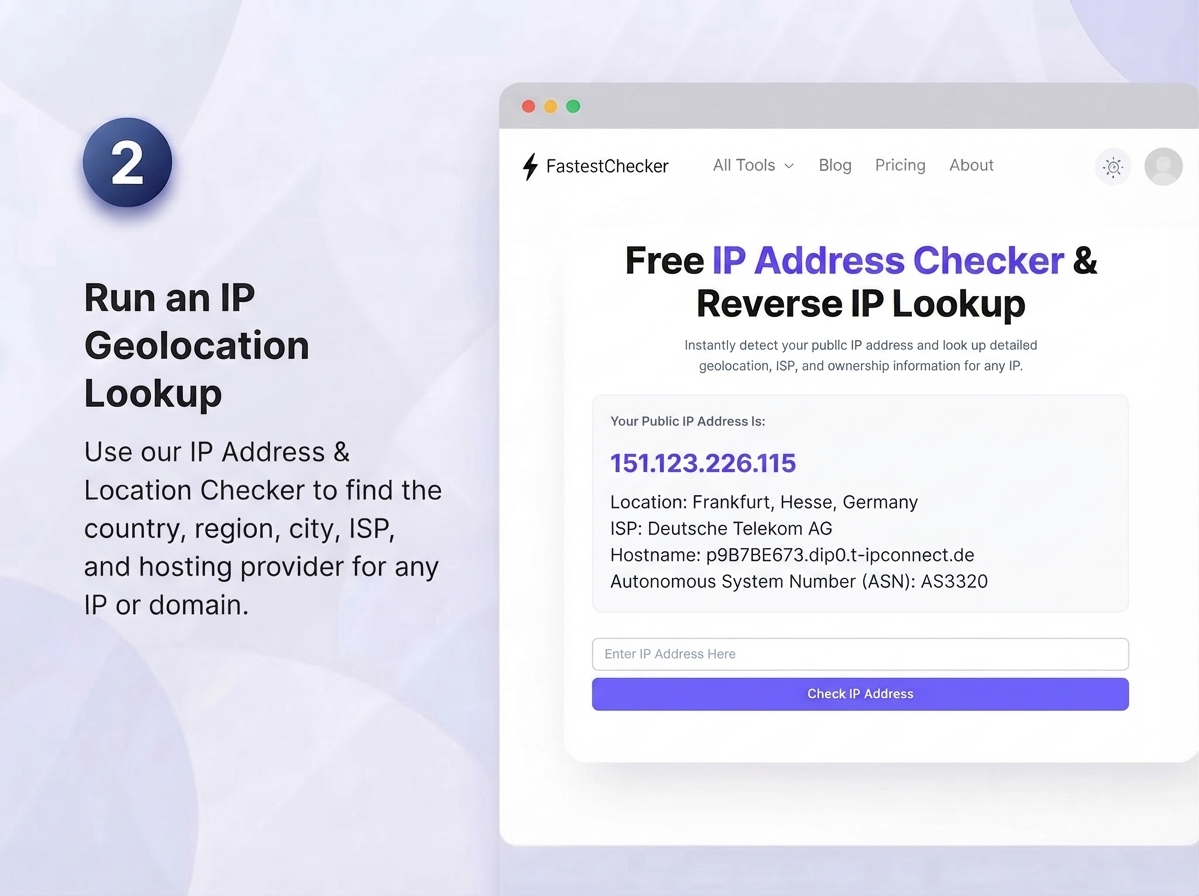
104.21.5.12) to route traffic across the internet[cite: 1]. Before you can locate where a server physically resides, you first need to uncover this underlying IP address[cite: 1]. You can easily retrieve it using built-in system tools like the terminal or Command Prompt by executing a simplenslookup example.comorping example.comcommand[cite: 1]. - Run it through a location lookup tool. Once you have identified the target numeric address, input it directly into our free IP Address & Location Checker[cite: 1]. The tool instantly queries global geolocation databases to return comprehensive hosting information, including the country, state or region, city estimate, Internet Service Provider (ISP), Autonomous System Number (ASN), and data center host[cite: 1].
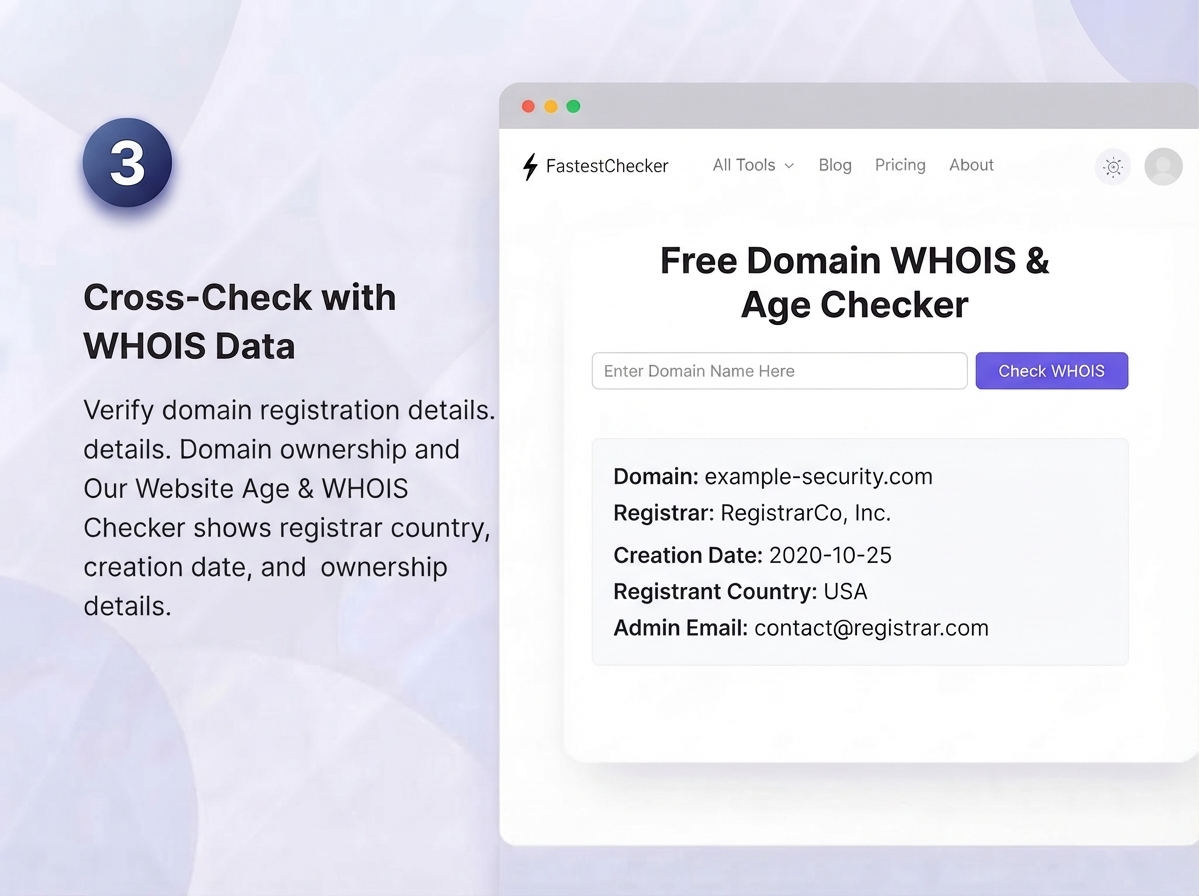
- Cross-check with WHOIS data. Keep in mind that a domain's administrative registration country often differs from its physical server hosting location[cite: 1]. To verify organizational authenticity and avoid spoofing, use our Website Age & WHOIS Checker[cite: 1]. This cross-references domain ownership records, showing the registrar country, original domain creation date, and listed registrant details alongside your IP geolocation findings[cite: 1].
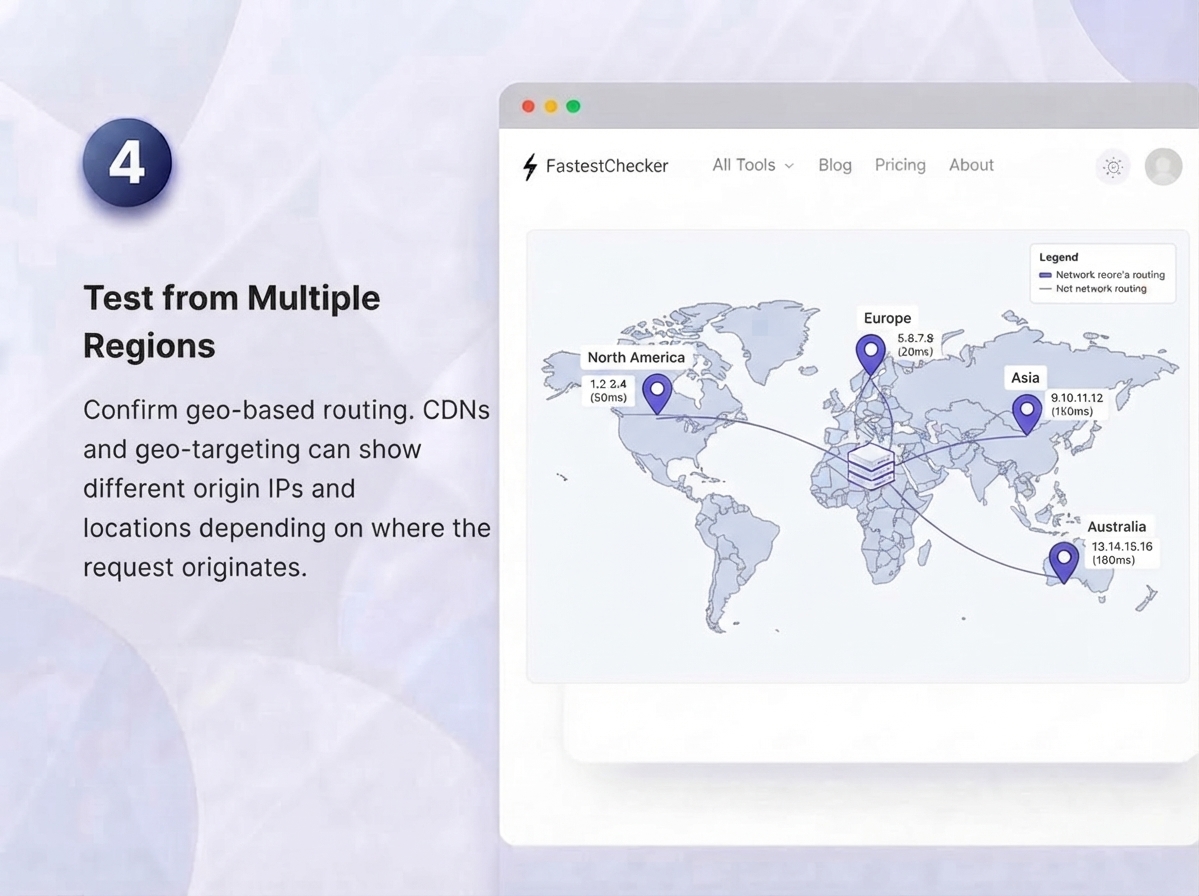
- Test from multiple regions if needed. Modern websites frequently use Content Delivery Networks (CDNs) or DNS-based geo-routing to balance global traffic[cite: 1]. As a result, users requesting access from different geographical locations may hit distinct edge nodes or localized backup servers[cite: 1]. Testing network routing from multiple global vantage points helps you determine whether you are viewing the site's primary origin server or a regional CDN cache node[cite: 1].
Common IP Geolocation Accuracy Levels
| Detail Level | Typical Accuracy | Best Use Case |
|---|---|---|
| Country | ~99% | Compliance, fraud screening |
| Region/State | ~80-90% | CDN routing checks |
| City | ~50-75% | General diagnostics only |
| Exact Address | Not reliable | Not recommended for decisions |
Website Location vs. Website Speed: What's the Real Relationship?
Server location is one input into speed — not the whole story. A well-optimized site on a distant server with a strong CDN can outperform a poorly optimized site hosted locally. That's why location checks work best alongside a full speed diagnostic. After confirming location with our IP Address & Location Checker, run your own connection test using our Wi-Fi Speed Test to rule out local network issues before blaming the server.
Using Location Data for Competitive & Traffic Research
Marketers and researchers often check a competitor's hosting location alongside estimated traffic volume to understand infrastructure investment and audience reach. Combine location lookups with our Website Traffic & Visitor Checker to build a fuller picture of how a site is set up to serve its audience.
Best Practices When Interpreting Location Data
- Always treat IP geolocation as an estimate, not a precise address — accuracy narrows as you go from country to city level.
- Remember that CDNs, VPNs, and proxies can mask true origin location entirely.
- Use multiple data points (WHOIS, IP location, SSL certificate issuer) together rather than relying on one signal alone.
- Re-check periodically — companies migrate hosting providers and regions more often than you'd expect.
Final Thoughts
Knowing where a website actually 'lives' gives you power — power to diagnose slow load times, power to spot suspicious infrastructure, and power to make smarter hosting and CDN decisions. It takes seconds to check, but the insight it provides can save hours of troubleshooting or protect you from a scam. Start with our free IP Address & Location Checker and see exactly where any website really comes from.
MaxMind GeoIP2, BGP Autonomous Systems & Anycast CDNs
Modern IP geolocation queries correlate IP addresses with regional routing tables maintained in commercial databases (such as MaxMind GeoIP2 and IPinfo). However, when querying domains hosted on Anycast Content Delivery Networks (Cloudflare, Fastly, AWS CloudFront), the returned IP address routes to the geographically closest edge datacenter rather than the physical backend origin server. To determine the true origin server, network engineers inspect MX mail records, SPF authorization declarations, or historical DNS A records recorded prior to CDN onboarding.
Frequently Asked Questions
How accurate is IP-based website location checking?
Country-level accuracy is typically around 99%, but city-level results are much less reliable, often ranging from 50-75% accurate. Treat city and address-level results as estimates rather than exact facts.
Can a website's location be hidden or disguised?
Yes. CDNs, reverse proxies (like Cloudflare), and VPNs can all mask a website's true origin server location, showing you the location of an intermediary node instead of the actual host.
Why does a website's hosting location affect page speed?
The physical distance between a server and a visitor adds latency to every request. Sites hosted far from their audience generally load slower unless they use a CDN to serve content from closer edge locations.
Is checking a website's location useful for spotting scams?
It can be one helpful signal, especially when a site's claimed business location doesn't match its server origin, but it should be combined with domain age, WHOIS data, and other trust signals rather than used alone.
Muhammad Asad Arshad is the Founder and Lead Software Architect of FastestChecker, specializing in client-side Web APIs, cryptographic standards, and network diagnostics.