Barcodes are everywhere — on grocery items, shipping labels, library books, event tickets, and warehouse inventory. They're one of the oldest and most reliable pieces of data-tracking technology still in daily use, precisely because they're simple, fast to scan, and universally supported by scanning hardware and software.
Whether you're a small business owner labeling your first batch of products, a developer building an inventory system, or someone who just needs a quick barcode for a project, this guide covers everything you need to know — including how to generate one instantly using our free Barcode Generator.
What Is a Barcode and How Does It Work?
A barcode is a visual representation of data — typically a series of numbers or characters — encoded as a pattern of parallel lines (or, in 2D formats, a grid of squares) that a scanner can read optically. When scanned, the barcode reader converts that pattern back into readable data almost instantly, eliminating manual entry errors and speeding up checkout, inventory, and tracking processes.
Barcodes have been a retail and logistics staple since the 1970s, and despite the rise of QR codes and RFID, they remain the backbone of global supply chains and point-of-sale systems.
Common Barcode Types and When to Use Them
1. UPC (Universal Product Code)
The standard barcode format used on retail products in the United States and Canada. UPC-A encodes 12 digits and is required for products sold in most North American retail stores and marketplaces like Amazon.
2. EAN (European Article Number)
The international equivalent of UPC, EAN-13 encodes 13 digits and is the standard for retail products sold across Europe and most of the world outside North America.
3. Code 128
A highly flexible, high-density barcode format that can encode the full ASCII character set — letters, numbers, and symbols. Widely used in shipping, logistics, and inventory management where alphanumeric data is common.
4. Code 39
An older but still widely used alphanumeric barcode, common in non-retail environments like automotive, defense, and internal inventory systems.
5. ITF (Interleaved 2 of 5)
Commonly used on corrugated cardboard boxes and shipping cartons for warehouse and distribution tracking, due to its tolerance for lower-quality printing surfaces.
6. Codabar
Still used in some libraries, blood banks, and older logistics systems, though largely being phased out in favor of newer formats.
How to Create a Barcode with FastestChecker
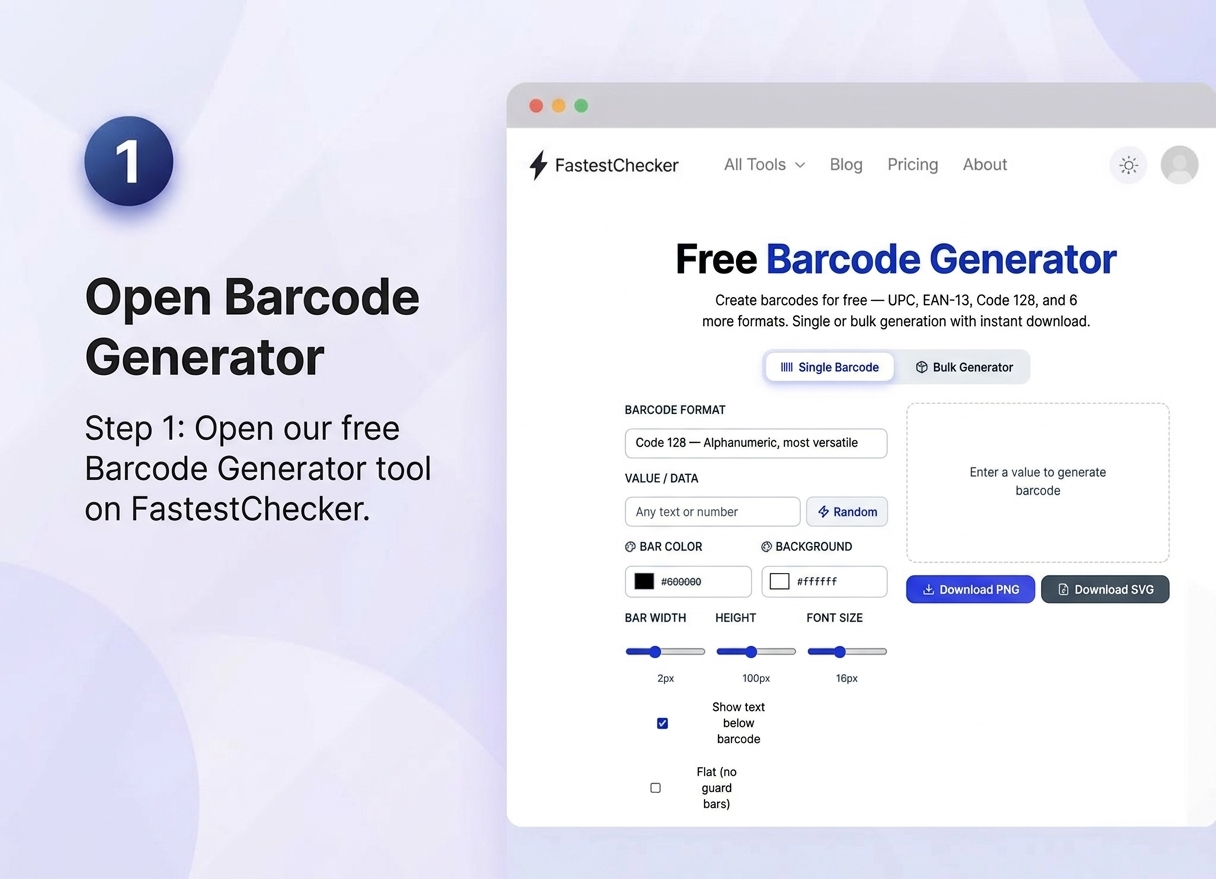
- Open our free Barcode Generator. Navigate directly to the FastestChecker online tool from any web browser on desktop, tablet, or mobile. No installation, software setup, or user account registration is required to start creating your barcodes immediately.
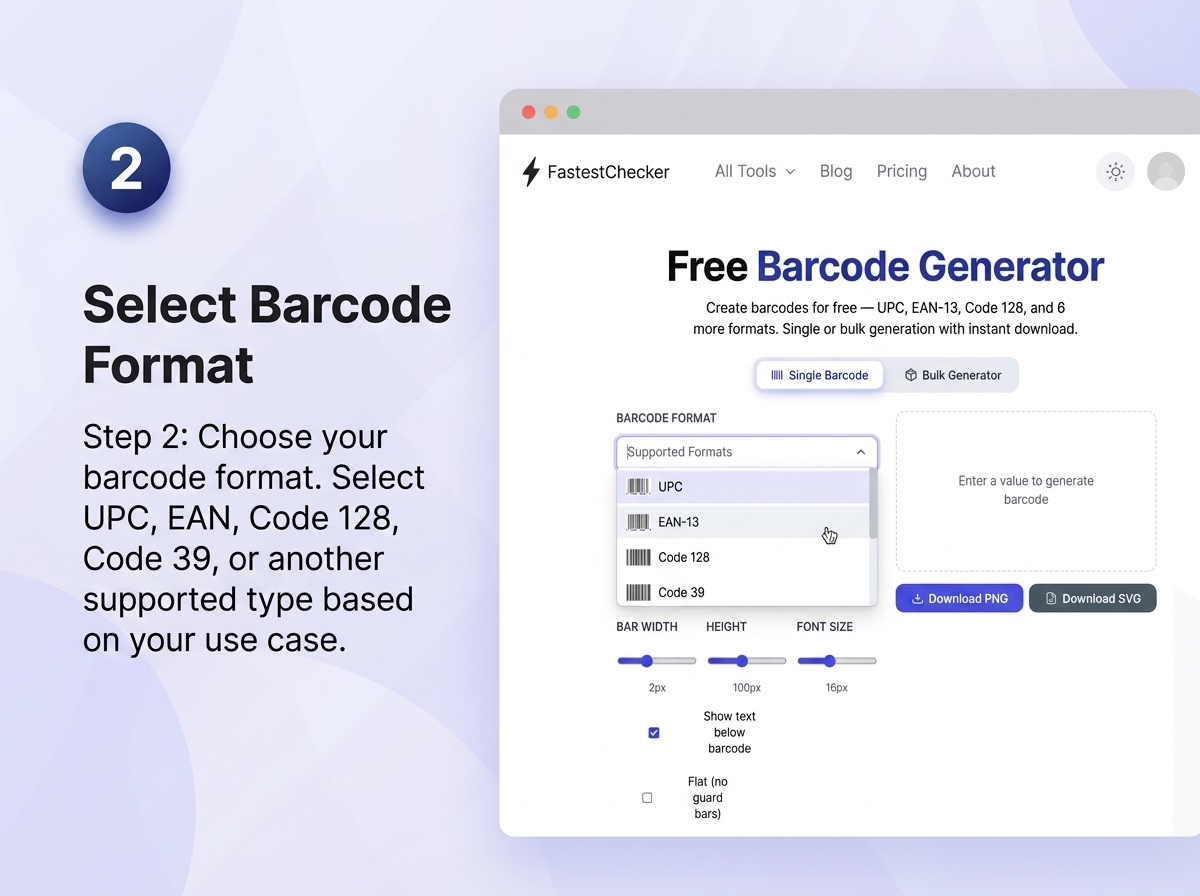
- Choose your barcode format. Select the optimal encoding format for your specific industry standard. Choose from popular 1D formats like Code 128 (for universal alphanumeric data), UPC-A and EAN-13 (for retail product packaging), Code 39 (for logistics and inventory tracking), or ITF-14, depending on your supply chain requirements.
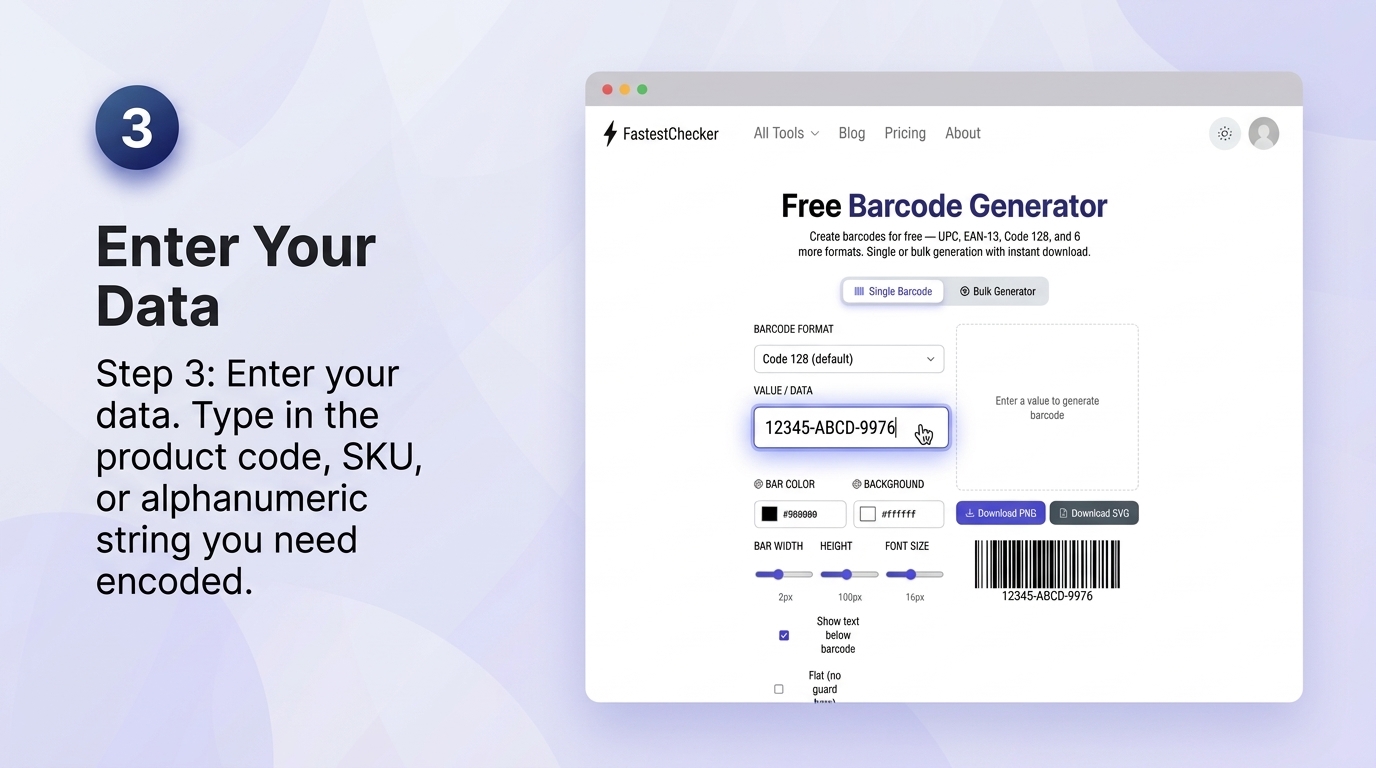
- Enter your data. Input your unique identifier into the data field. This can include product SKU numbers, GTIN codes, serial numbers, custom pricing strings, or standard alphanumeric text. Double-check your character count and formatting to ensure compatibility with your chosen barcode format.
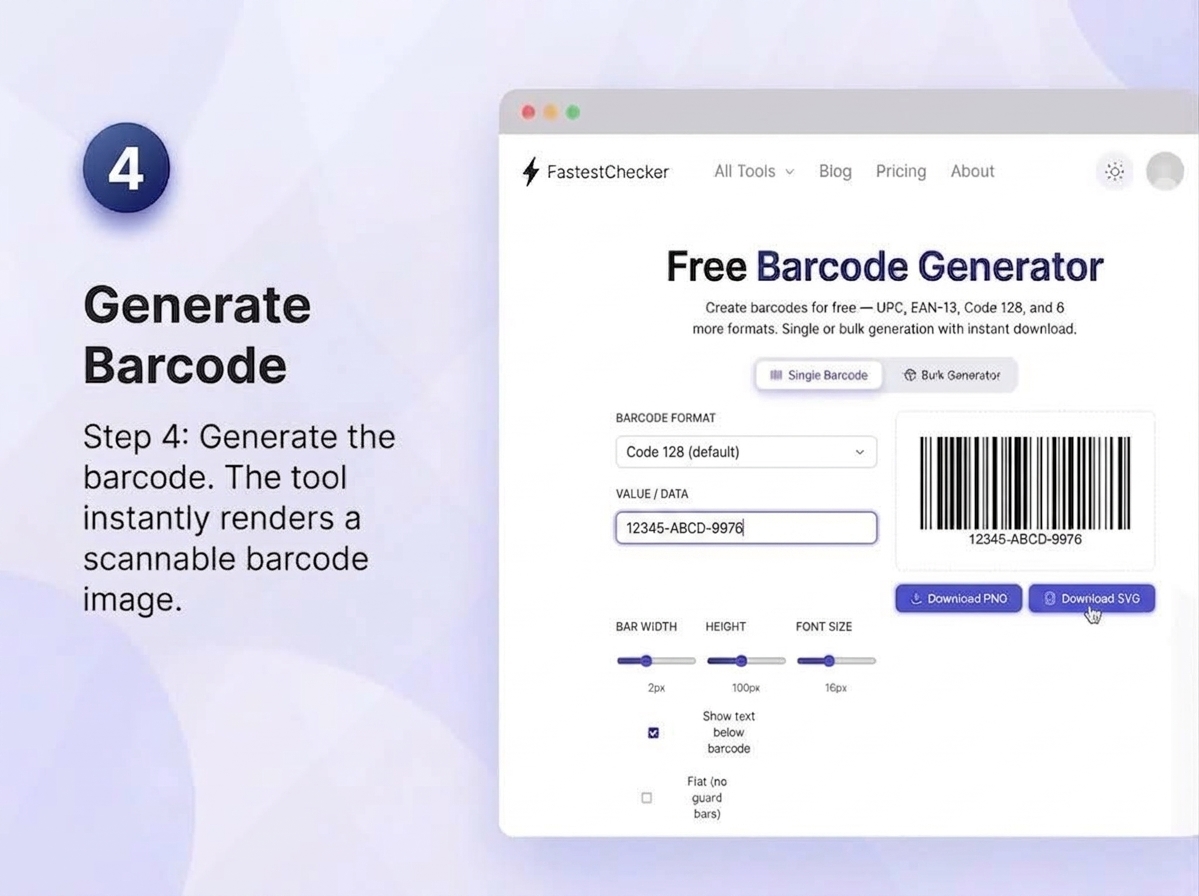
- Generate the barcode. The generator dynamically processes your data in real time, calculating necessary check digits and rendering a precise, high-contrast, scannable barcode image optimized for digital screens and commercial optical scanners.
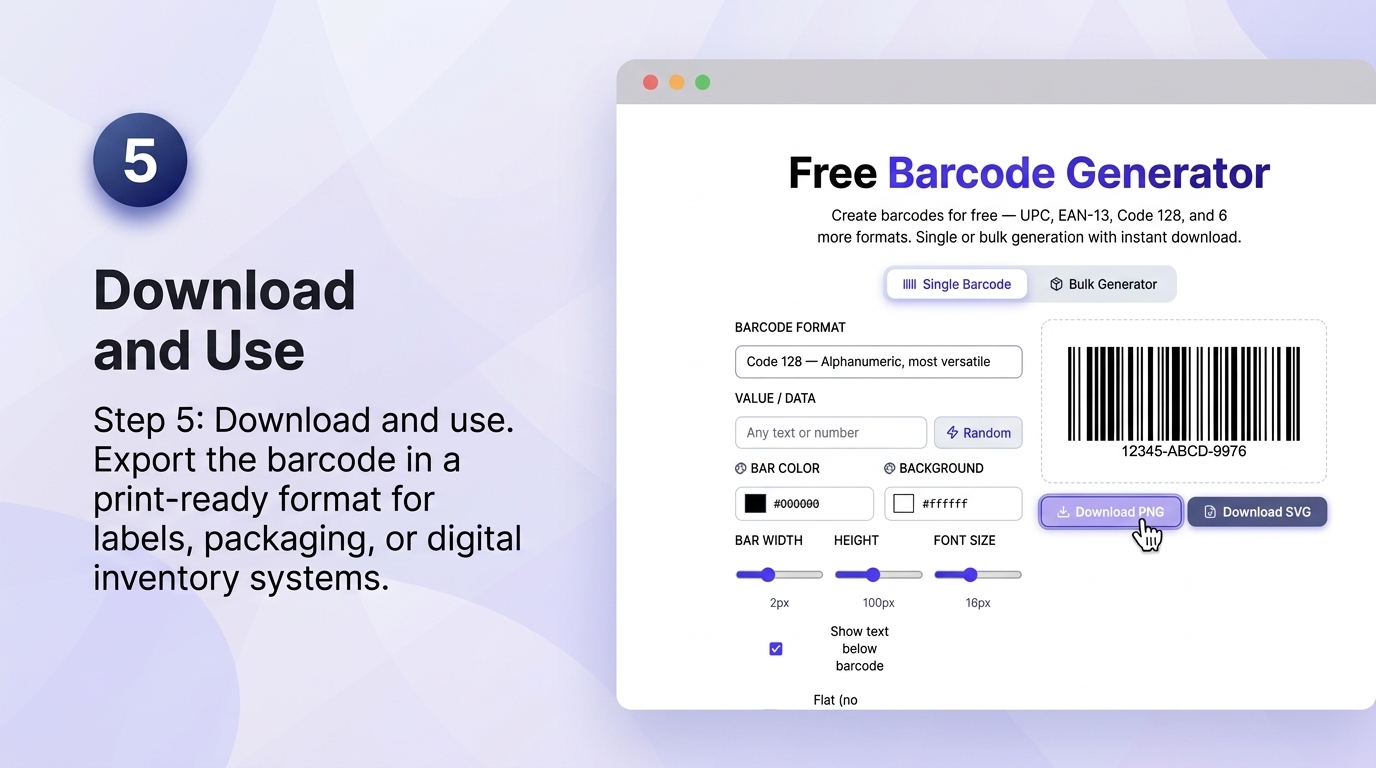
- Download and use. Save your finalized barcode in high-resolution vector (SVG) or raster (PNG) formats. Export the files ready for print placement on product labels, retail packaging, shipping cartons, or seamless integration into digital asset and inventory management systems.
Choosing the Right Barcode Format: A Quick Comparison
| Format | Data Type | Best Used For |
|---|---|---|
| UPC-A | 12-digit numeric | Retail products (US/Canada) |
| EAN-13 | 13-digit numeric | Retail products (international) |
| Code 128 | Full alphanumeric | Shipping, logistics, inventory |
| Code 39 | Alphanumeric (limited symbols) | Internal tracking, non-retail |
| ITF-14 | 14-digit numeric | Shipping cartons, cardboard |
Barcodes vs. QR Codes: Which Should You Use?
Traditional barcodes and QR codes serve different purposes. Barcodes are compact, fast to scan with dedicated hardware, and ideal for standardized retail and logistics workflows where a specific numeric format (like UPC or EAN) is required by retailers or marketplaces. QR codes, on the other hand, can hold far more data — URLs, contact info, WiFi credentials — and are better suited for marketing, customer engagement, and situations where any smartphone camera should be able to scan the code.
If your use case is product retail listing, inventory management, or shipping logistics, stick with a standard barcode format using our Barcode Generator. If you want to direct customers to a website, menu, or digital experience, our QR Code Generator is the better fit.
Best Practices for Barcode Quality and Placement
- Maintain proper quiet zones. Ensure you leave an adequate blank, unprinted margin (the quiet zone) on both the left and right sides of the barcode symbol. Scanners rely on these clear boundaries to differentiate the barcode pattern from surrounding graphics, text, or border elements, preventing read errors.
- Print at adequate resolution. Avoid low-resolution printing, which can cause ink bleeding, fuzzy edges, or altered bar widths that lead to scan failures. Always export your barcode files in crisp vector formats (SVG) or high-DPI raster images (PNG at 300+ DPI) to guarantee sharp edge definition on physical labels and packaging.
- Avoid wrapping barcodes around curved surfaces. Placing barcodes across extreme curves, tight cylindrical items (like small bottles or tubes), or wrinkled flexible packaging can severely distort the bar spacing and geometry. Whenever possible, align barcodes vertically on curved items or position them on flat, smooth surfaces for maximum scan accuracy.
- Use black bars on a white background. High optical contrast is fundamental for laser and camera-based scanners to distinguish bars from spaces. Use standard solid dark bars (preferably pure black) on a clean, non-reflective light background (preferably crisp white), and avoid red tones or metallic surfaces that interfere with scanner lasers.
- Verify digit checksums. Standard barcode formats such as UPC-A, EAN-13, and ITF-14 rely on an automated built-in check digit calculated from the preceding sequence. Always double-check and test-scan your generated barcodes with a physical scanner or verification tool before committing to large-scale print runs or mass production.
Common Business Use Cases for Barcodes
Retail and E-commerce
Marketplaces like Amazon, Walmart, and most retail chains require valid UPC or EAN barcodes for product listings, making barcode generation a mandatory step before you can sell physical products through these channels.
Inventory and Warehouse Management
Code 128 and Code 39 barcodes are commonly used internally to track stock levels, shelf locations, and shipment status across warehouse management systems.
Asset Tracking
Companies use barcodes to tag and track equipment, IT assets, and tools, making audits and maintenance schedules far easier to manage.
Event Ticketing
Barcodes on tickets allow for quick, reliable check-in scanning at entry points, reducing wait times and preventing duplicate entry.
Pairing Barcodes with Other FastestChecker Tools
If you're building out a full product or business toolkit, barcodes are just one piece. Once your product images are ready for packaging or online listings, resize them properly using our Image Resizer. If you're also setting up secure accounts for your inventory or e-commerce platform, generate strong credentials with our Password Generator, and validate customer or supplier emails with our Email Validator to keep your contact lists clean.
Final Thoughts
Barcodes remain a fundamental tool for retail, logistics, and inventory management — simple, universally compatible, and essential for anyone selling physical products or managing stock at scale. Choosing the right format and following basic quality practices ensures your barcodes scan reliably every time, whether at checkout, in a warehouse, or at an event entrance.
Ready to generate yours? Try our free Barcode Generator now — no signup required, and your barcode is ready to download instantly.
Frequently Asked Questions
Is the FastestChecker Barcode Generator free to use?
Yes, our Barcode Generator is completely free with no signup required. You can create UPC, EAN, Code 128, and other barcode formats instantly and download them right away.
What's the difference between UPC and EAN barcodes?
UPC-A is a 12-digit barcode primarily used in the United States and Canada, while EAN-13 is a 13-digit format used internationally. Most retailers require the specific format used in their region.
Can I use a barcode generator for my own product without registering it?
You can generate a barcode image for internal use or testing without registration, but selling products through major retailers or marketplaces typically requires an officially assigned GS1 barcode number to avoid duplicate codes.
Why isn't my printed barcode scanning correctly?
Common causes include low print resolution, insufficient quiet zone margins, low contrast between bars and background, or printing on a curved/wrinkled surface. Testing with your actual scanner before mass printing helps catch these issues early.
Muhammad Asad Arshad is the Founder and Lead Software Architect of FastestChecker, specializing in client-side Web APIs, cryptographic standards, and network diagnostics.